

Meta Description: Learn the essential strategies for creating an ATS-friendly resume that passes the screening software. Master formatting, keyword optimization, and common pitfalls to ensure your application reaches a hiring manager.
In today’s competitive job market, your resume’s first audience is often not a human recruiter, but a piece of software called an Applicant Tracking System (ATS). An ATS-friendly resume is one that is specifically formatted and optimized to be easily read, parsed, and ranked by this software. Failing to meet the ATS’s requirements can lead to your application being discarded before a human ever sees it, regardless of your qualifications. This guide will walk you through the critical steps to ensure your resume successfully navigates the digital gatekeeper.
Contents
What is an Applicant Tracking System (ATS)?
An ATS is a software application that companies use to manage the entire recruiting and hiring process. Its primary function is to collect, sort, scan, and rank resumes based on criteria set by the hiring manager, most notably by matching the resume’s content against the keywords in the job description. Think of the ATS as a search engine for resumes. If your resume is not structured correctly, the system may fail to extract your information accurately, or worse, rank you poorly.
Formatting Secrets for an ATS-Friendly Resume
The biggest mistake job seekers make is prioritizing visual design over machine readability. An ATS-friendly resume must be clean, simple, and consistent.
1. Prioritize Simple Layouts
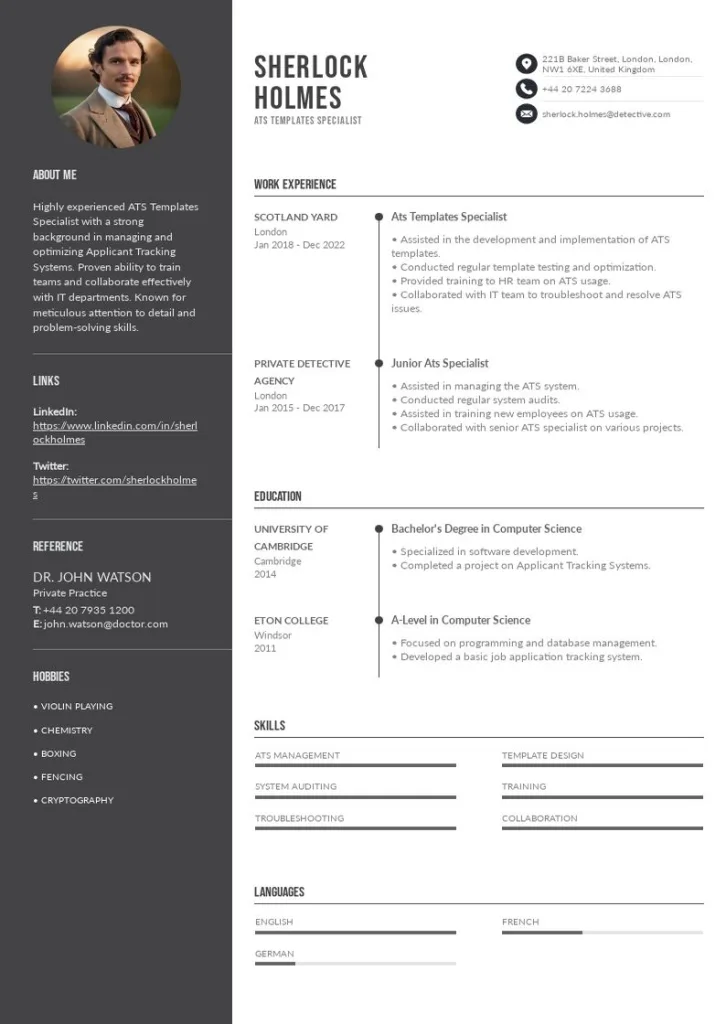
•Avoid Complex Graphics: Steer clear of headers, footers, tables, text boxes, columns, charts, and images. While they look good to the human eye, they often confuse the ATS, causing it to misread or skip entire sections of your resume.
•Use Standard Section Headings: Label your sections clearly and conventionally. Use headings like “Work Experience,” “Education,” “Skills,” and “Summary.” Avoid creative titles like “My Journey” or “What I Bring to the Table.”
•Choose a Readable Font: Stick to common, clean, and legible fonts like Arial, Calibri, or Times New Roman. Use a font size between 10 and 12 points.
2. Master the Date and File Format
•Consistent Date Format: Use a consistent and standard format for dates, such as “MM/YYYY” or “Month, Year.” Inconsistent date formats are a common reason for ATS parsing errors.
•Save as a PDF or DOCX: While PDF is generally preferred for preserving layout, some older or less sophisticated ATS systems struggle with it. The safest format is often a clean .docx file. Always check the job posting to see if a specific format is requested.
The Power of Keywords: Content Optimization
Formatting gets your resume parsed, but keyword optimization gets it ranked. This is the most crucial step in creating an ATS-friendly resume.
1. Mirror the Job Description
The job description is your cheat sheet. The ATS is specifically looking for the exact terms and phrases used in the posting.
•Analyze the Posting: Identify the key skills, responsibilities, and qualifications mentioned multiple times.
•Integrate Keywords Naturally: Incorporate these keywords into your professional summary, work experience bullet points, and skills section. Do not simply list them; weave them into accomplishment-driven statements.
2. Include Both Acronyms and Full Names
If a job description mentions a skill by its acronym (e.g., “SEO”) and its full name (“Search Engine Optimization”), include both somewhere in your resume to ensure the ATS catches the term regardless of how it is programmed.
3. Create a Dedicated Skills Section
A clean, clear skills section is vital for the ATS. List both hard skills (technical abilities, software) and relevant soft skills. This section is often the first place the ATS scans for matches.
Common ATS Pitfalls to Avoid
Even a perfectly written resume can be rejected if it falls into one of these common ATS traps:
|
Pitfall
|
Description
|
ATS-Friendly Solution
|
|
Hidden Text
|
Using white font to “stuff” keywords into the resume.
|
The ATS can detect this and flag your resume as spam, leading to immediate rejection.
|
|
Graphics and Charts
|
Using visual elements like star ratings or progress bars to show skill level.
|
The ATS cannot read these and will ignore the information, or worse, misinterpret the data.
|
|
Inconsistent Headings
|
Using different formatting or titles for the same section (e.g., “Work History” on one page, “Experience” on another).
|
Use one clear, standard heading for each section throughout the document.
|
|
Outdated Contact Info
|
Missing or incorrectly formatted email and phone number.
|
Ensure your contact information is at the top, clearly labeled, and easily parsable.
|
Conclusion
Creating an ATS-friendly resume is a non-negotiable step in the modern job search. By focusing on simple, clean formatting and strategic keyword integration, you can dramatically increase the chances of your application making it past the initial software screening. Remember, the goal is not just to impress the human recruiter, but to first satisfy the machine that controls access to their desk. A well-optimized resume is the key to unlocking the next stage of your career.